Last modified by: The Includables -
How Do I Add a Shift in Daily Approval
To pay an employee that was not on the schedule and did not enter their time in Time Entry,
choose Add Entry

Select the employee, their department, and set the Approved Start and Approved End time.
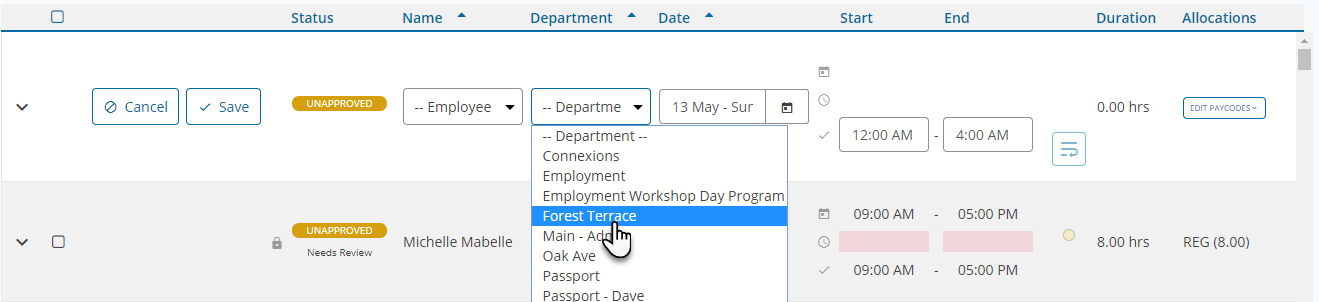
Click Save to add the new shift to the pay period.
