Last modified by: The Includables -
How do I import an input sheet?
Sometimes, it may be easier or faster to enter data onto a spreadsheet and import that data into your input sheet. How to setup your data and how to get that data onto your input sheet are the subjects of this article.
1. Creating your spreadsheet
There are some format rules for creating your input sheet: The basic requirements are:
- file should be in CSV format.
- column headers should match the formula code for the payroll instruction. For system PIs the column headers are
- Employee Name
- Employee Code
- Department Code
- HourlyPay
- Rate:HourlyPay
- SalaryPay
- Rate:SalaryPay
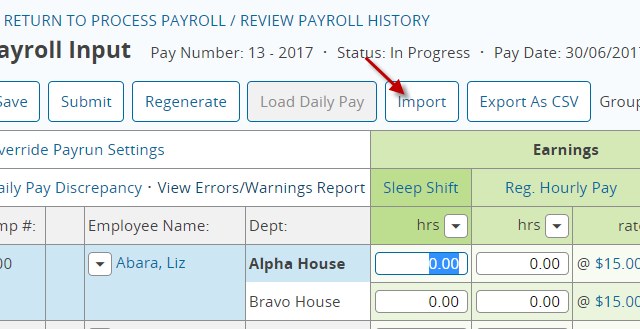
2. From your input sheet click the button near the top of the screen that says Import.

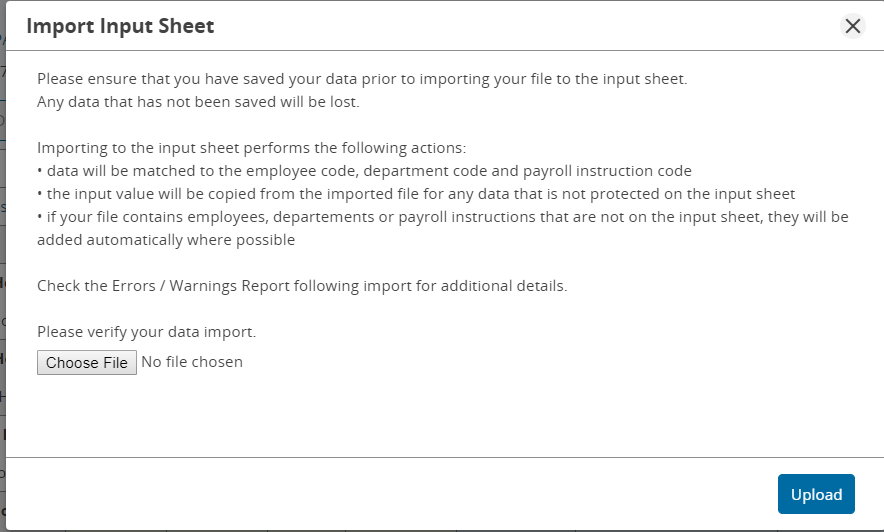
3. A new window will open. Click the button that says Choose File. Navigate your file system and choose the spreadsheet to be imported. Then press the button that says Upload.

That's it! you're all good!
