Last modified by: The Includables -
How do I load employee hours from Daily Approval?
Once hours have been approved and locked in Daily Approval, they need to be loaded onto the input sheet.
To load hours from Daily Approval select the Import hours now option from the banner on the input sheet.
If you don't see the Import option, check this article for possible causes.
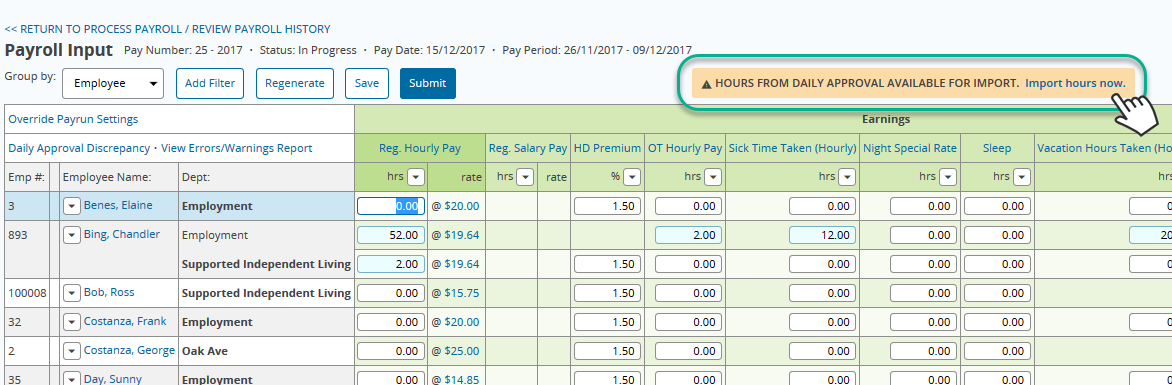
While the hours are loading, you will be taken back to the Process Payroll main page. Once the hours have loaded, select InputSheet to return to the inout sheet. You will now see your hours from Daily Approval on the input sheet. Hours loaded from Daily Approval will have blue highlighting.
