Last modified by: The Includables -
Requesting Time Off
Time Off Requests
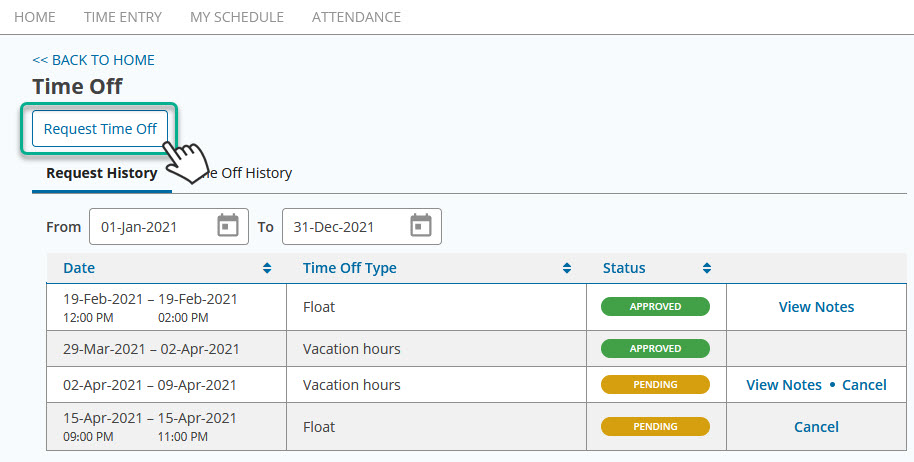
Choose Request Time Off to start a new request to be sent to your supervisor, and then you will select either a period of days or a partial day and the type of time to be used such as vacation or banked time.
Requesting Full / Multiple Days
Requesting Full Days
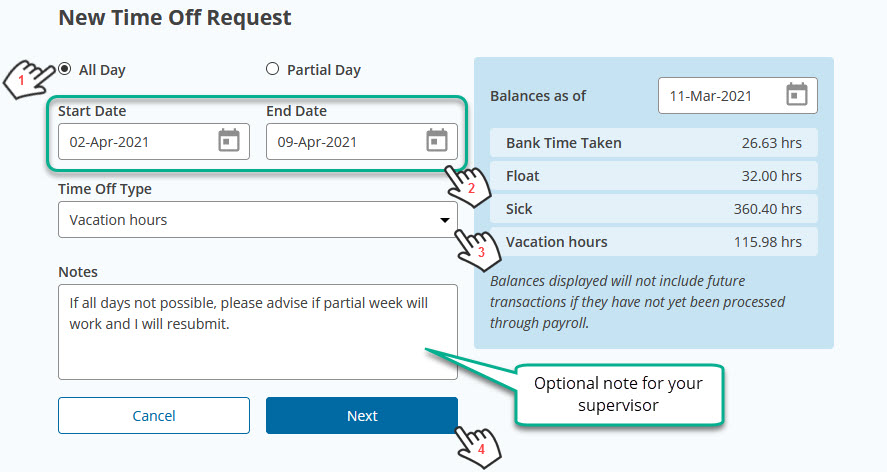
- Select All Day
- Select the Start Date and End Date for the number of consecutive days or the same date for a single day.
- Select the type of time you wish to take, and note you should have balance sufficient to cover the request.
- Add an optional note if desired and choose Next.
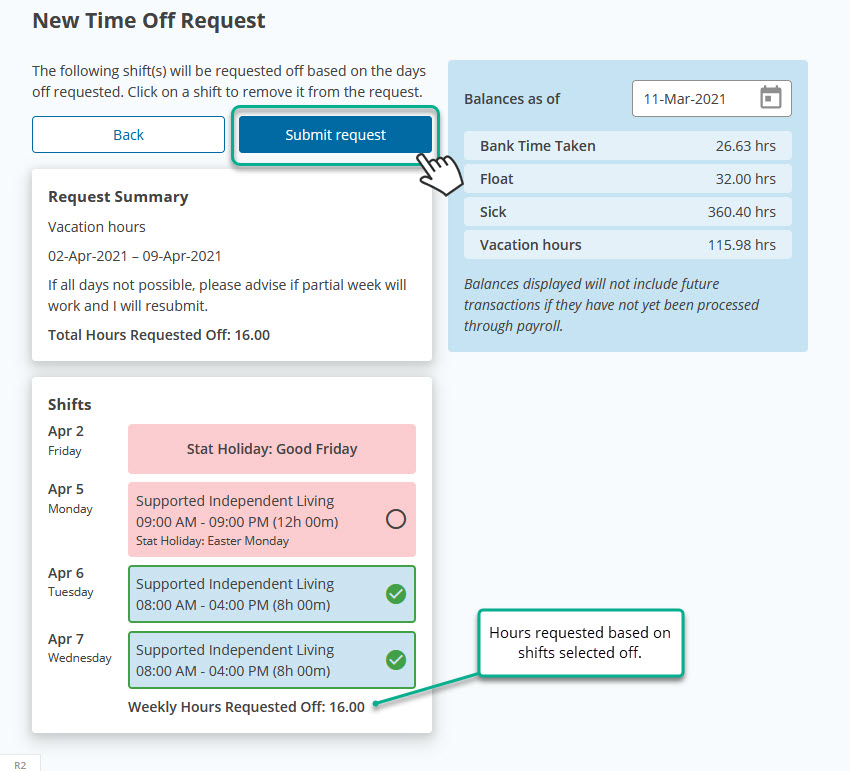
For shifts that you do not want off in the period chosen, you can click the check mark to remove them.
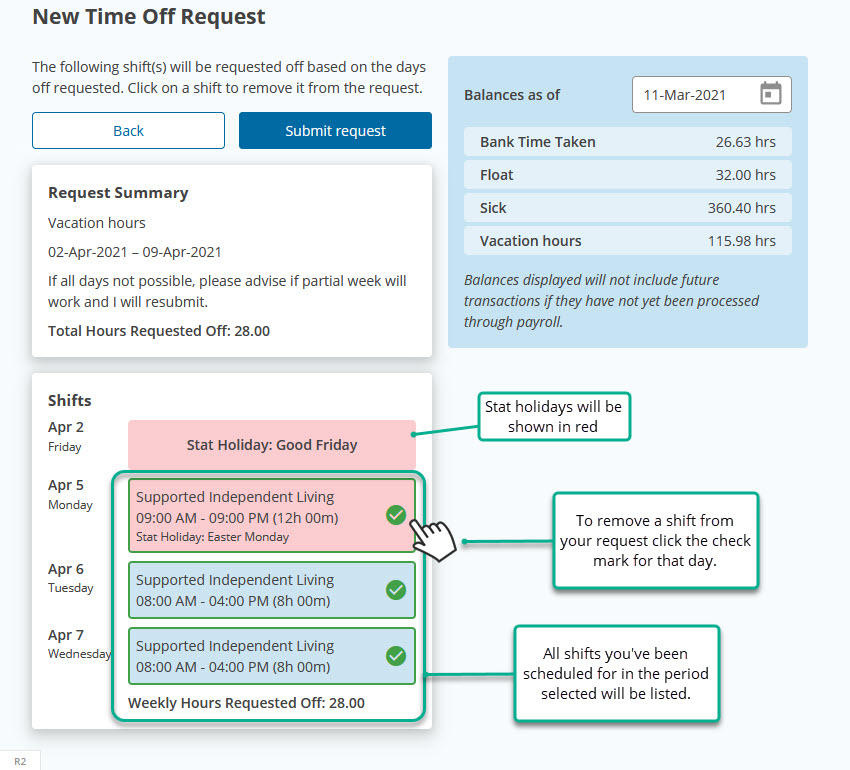
Review the request and choose Submit
Requesting Partial Days
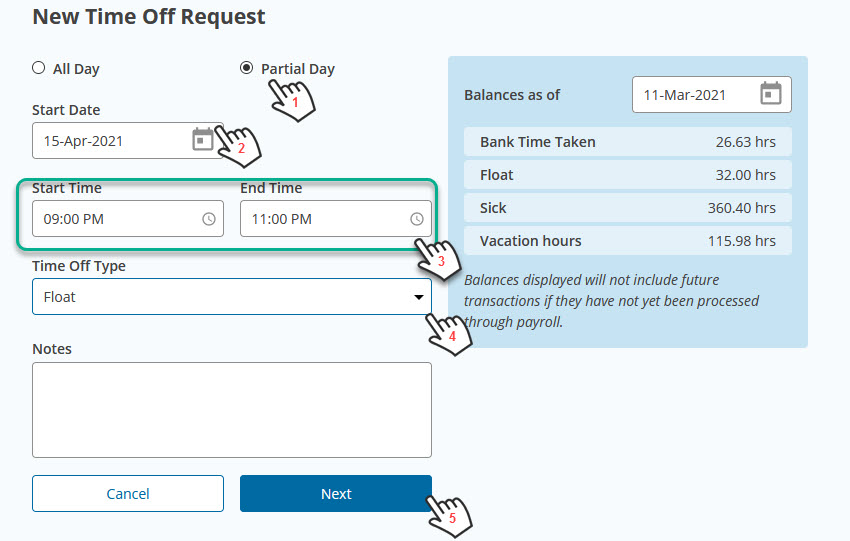
- Select Partial Day
- Select the Start Date
- Select the Start and End Time. If you have an existing shift that day, the start and end time must be within the existing shift period.
- Select the type of time you wish to take, and note you should have balance sufficient to cover the request.
- Add an optional note if desired and choose Next.
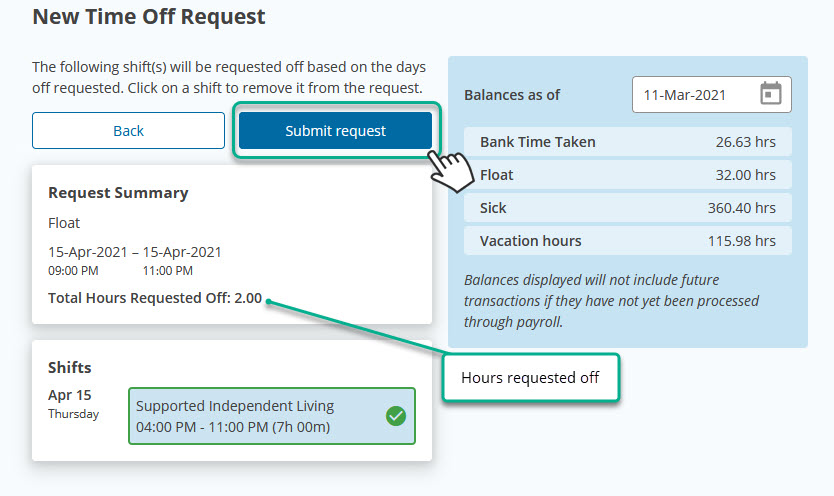
Review the request and choose Submit