Last modified by: The Includables -
Creating a New Employee
Adding a new employee to your organization begins with entering basic employee information and then entering specific details such as pay rates, positions and how the types of earnings, benefits and deductions covered in other support documents.
A new employee is started with the steps below and then the other details can be added manually or using an employee template which is recommended for consistency.
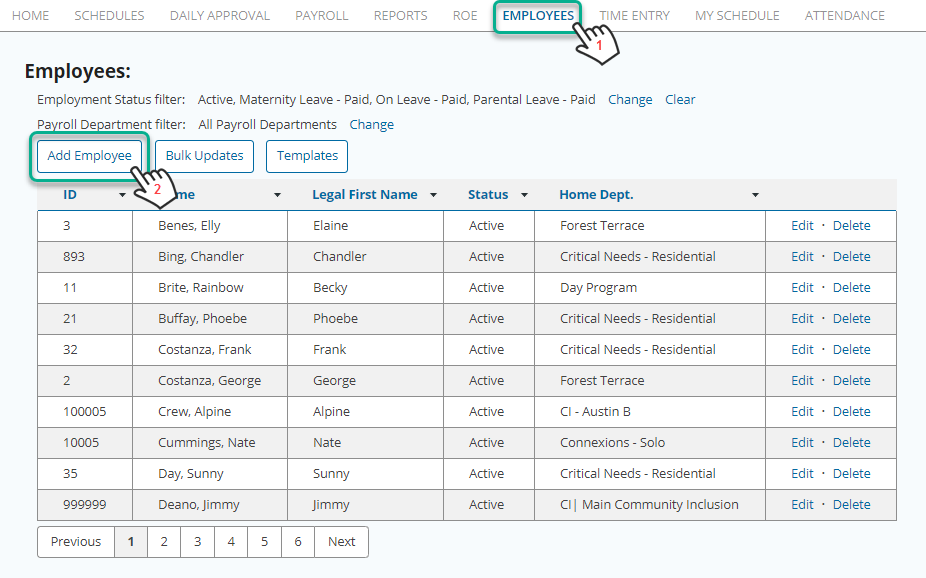
- Select the main Employees menu
- Choose Add Employee
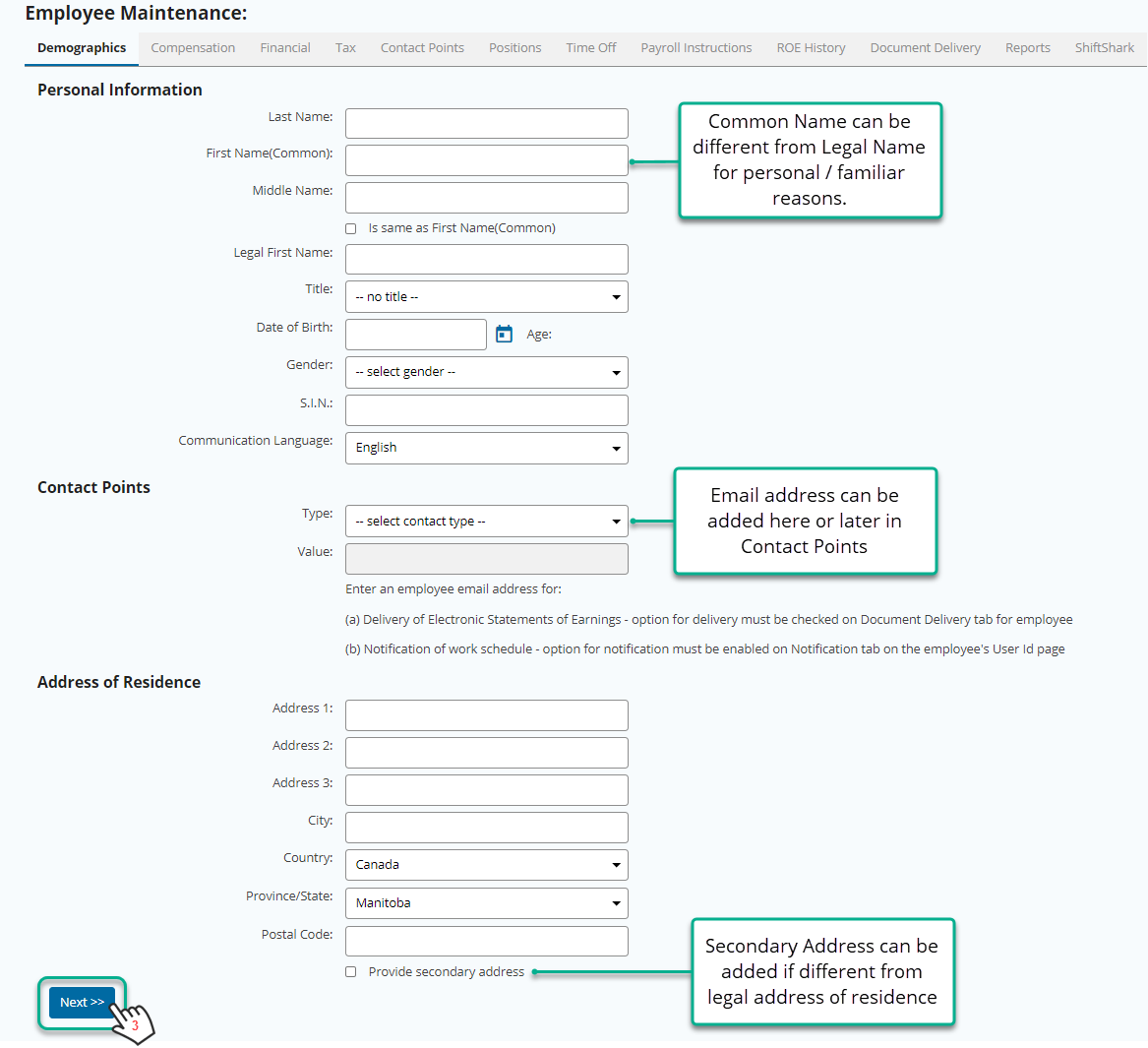
- Fill in the employee demographic information and choose Next >>