Last modified by: The Includables -
Editing Employee Financial Information
To set how an employee receives their pay or adjust their date of birth or SIN select the Financial tab from the main menu
To adjust the direct deposit information or to set an employee to receive a cheque select Edit next to the payment delivery method.
For direct deposit enter the:
- Route (3 digit bank / institution number)
- Transit (5 digit branch number)
- Account number
Important: validate this information from a blank cheque or direct deposit advice from the bank to avoid an incorrect or invalid account.
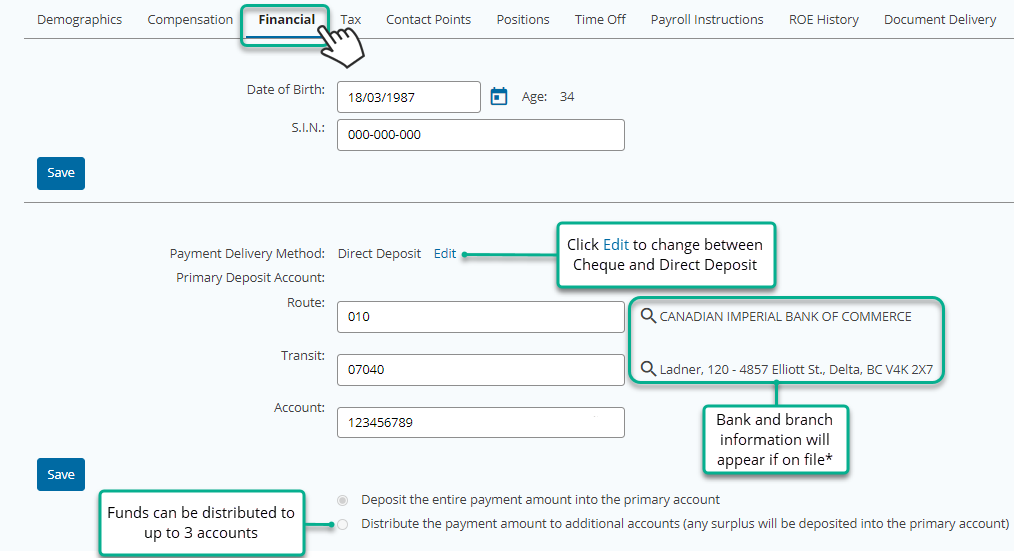
* Note not all transit / branches will be registered on file, be sure to verify the cheque or direct deposit advice if the transit # not on record appears.
