Last modified by: The Includables -
How do I add notes directly onto the schedule document?
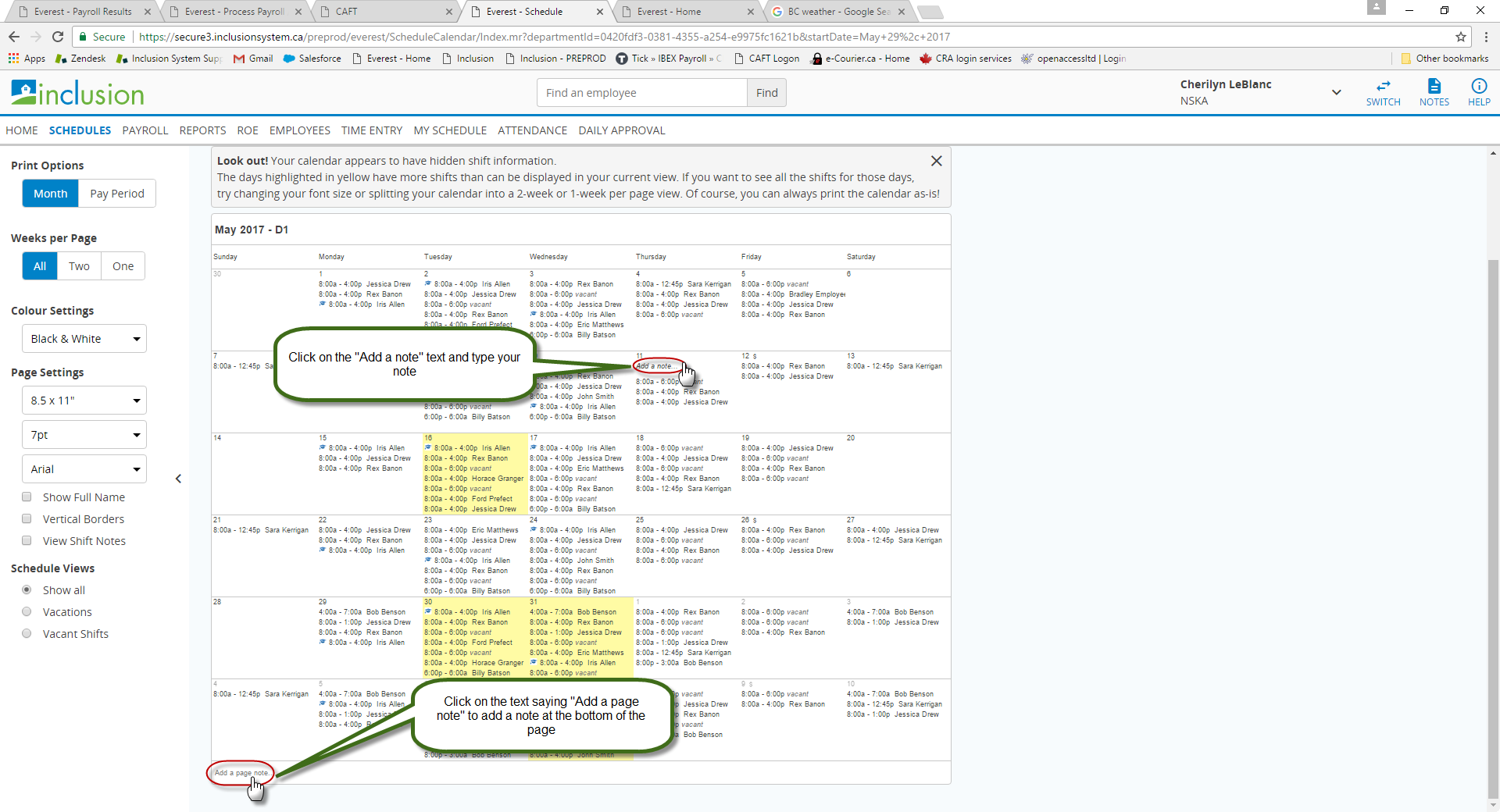
You can add two kinds of notes directly onto the schedule print out.
Specific Day Notes - When you hover over a date on the calendar display the text Add a note will appear. Click that and type in your note.
Page Notes - At the bottom of each page of the schedule print out you should see some text that says Add Page Note Click that and type in a note to leave at the bottom of the page.