Last modified by: The Includables -
Export
-
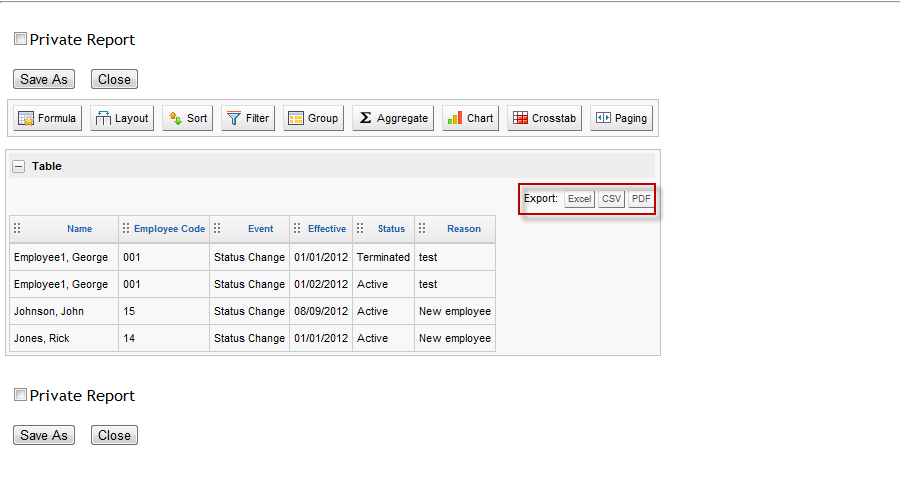
You can take your report even further by way of the Export buttons.
-
Once you have formatted your report, you can export it to Excel, CSV or PDF.
-
These buttons can be found above your table on the left hand side.
-
Simply click the button for the file format you wish to export to, enter a file name in the prompt and save.
-
For each Chart and Crosstab created, this function is also available above the item on the left hand side.
