Last modified by: The Includables -
How do I edit an employee shift in scheduling?
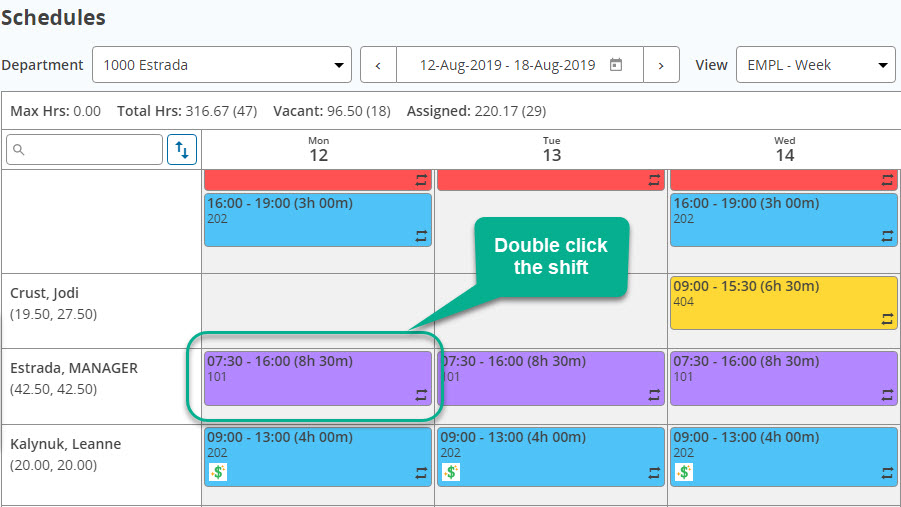
1) To edit an existing shift in a schedule simply double-click the shift you wish to edit:
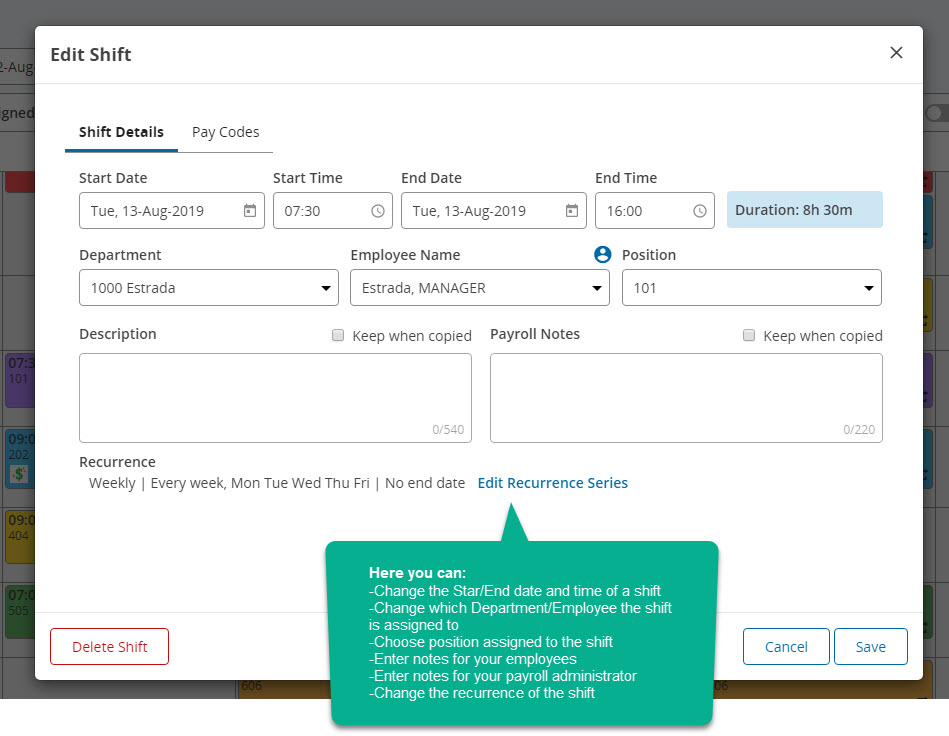
The Shift editor window will then appear. From here you can edit details about the shift like start and end time, position, who will be working it etc. Note that if you are unsure who is working a particular shift you can always leave it as *vacant.
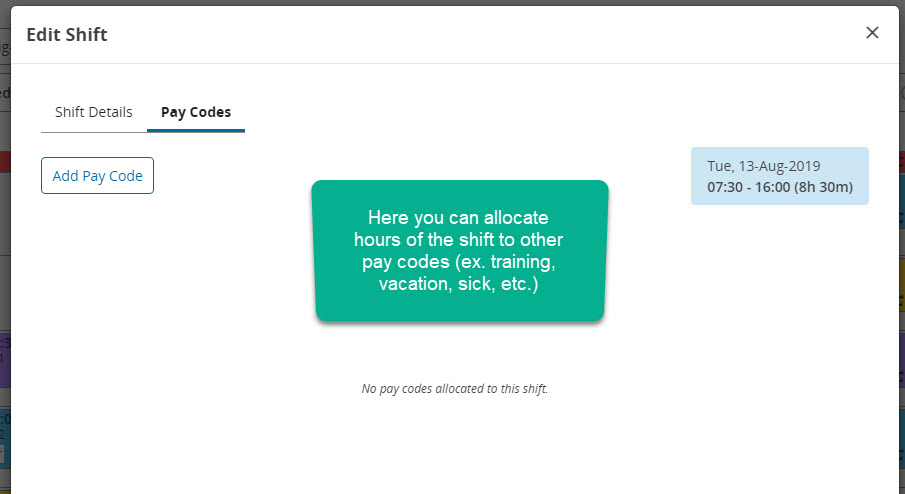
There are two different tabs in this window: "Shift Details" and "Pay Codes".
1) This is how the "Shift Details" window looks like and what you can do:
1) This is how the "Pay Codes" window looks like and what you can do:
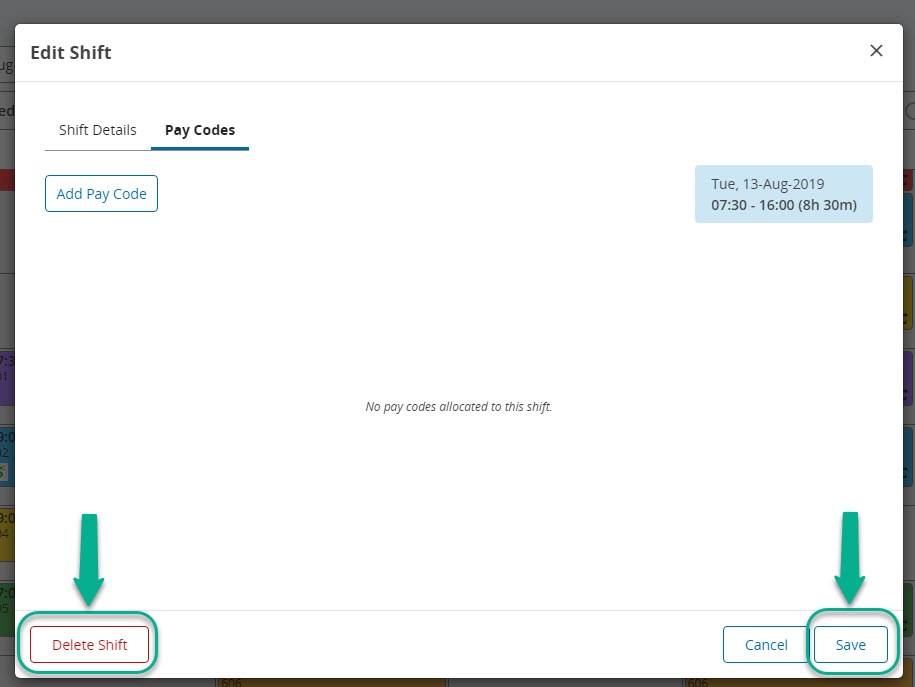
When you are done editing the shift details you can finalize the changes by clicking the Save button. There is also a Delete Shift button that you can click to delete the shift.
Vacant shifts will not flow through to payroll and are there for you to help keep track of shifts you need to fill.
