Last modified by: The Includables -
Date Selector
-
See only the data from a specific year or date range.
-
Select Year:
-
Use the drop down menu to select the year required.
-
Click Submit.
-
-
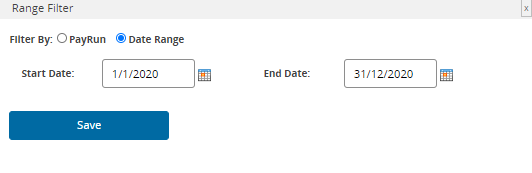
Select Date Range:
-
Enter the Start Date required.
-
Enter the End Date required.
-
Note that the date format is DD/MM/YYYY - or use the the calendar icon to select dates.
-
Click Submit.
-
-
Date Range specified in a particular report upon creation can be changed after saving.
-
Reports that only contain information on employee/organization settings do not have a Date Selector function. In this case, what is reported is based on the current values stored in the system.
