Last modified by: Peregrin Maksimovich -
Editing Employee Positions
Employee positions are used for reporting and scheduling purposes to define the type of role(s) the employee is working in. Note position settings do not affect how an employee is paid.
- Select the Positions tab in the employee profile
- Choose one or more positions to add
- Click the arrow to assign them.
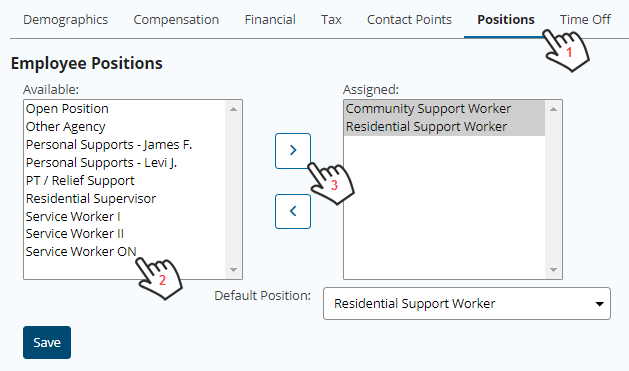
You can set the Default Position to be used in scheduling and reporting if they have more than one.
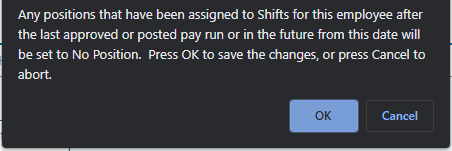
If you remove a position, and the position has been used in scheduling the following message will appear. If you want to want to re-assign the shift position on the shifts first choose cancel or choose Ok to set the shifts to No Position; note this will not affect shift approvals or pay for the employee.