Last modified by: The Includables -
How do I edit custom dates for an employee?
All custom date fields are named at the organization setup screen (see article here) but are visible on the employee's compensation tab.
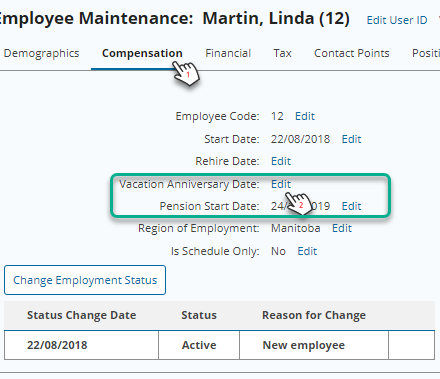
- On the employee profile, go to the Compensation tab. All available custom date fields will be visible underneath the employee's Rehire Date.
- Click Edit beside the date you wish to edit.
- In the pop up screen, enter the date.
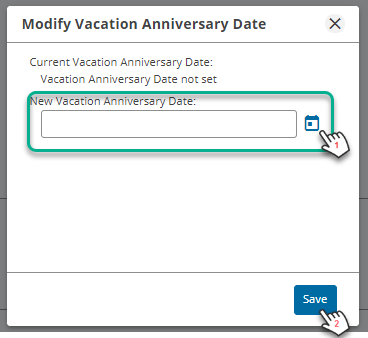
- Click Save.
Reporting
Custom dates can be reported on using the Employee Custom Dates base report.
