Last modified by: The Includables -
How to cancel a call
If you have a call out in progress but no longer need it, you can cancel it.
To cancel an active call, use the slider panel to find the shift to be canceled.
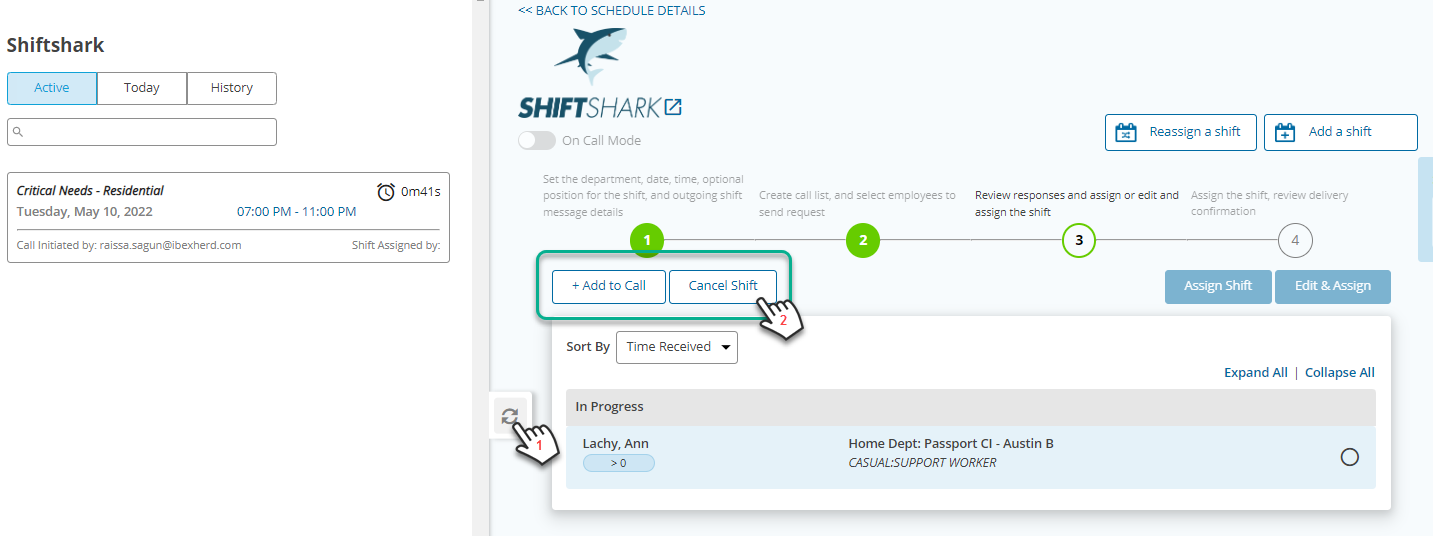
1. Click on the shift to have it's details appear on the main screen.
2. Click the Cancel Shift button to cancel the call.
