Last modified by: The Includables -
ShiftShark - Employee Contact Methods
Report Purpose: To identify which method employees are using for ShiftShark.
- Click Reports on the main menu
- Go to the Base Reports tab
- Scroll down to find the ShiftShark Employee Call List Settings.
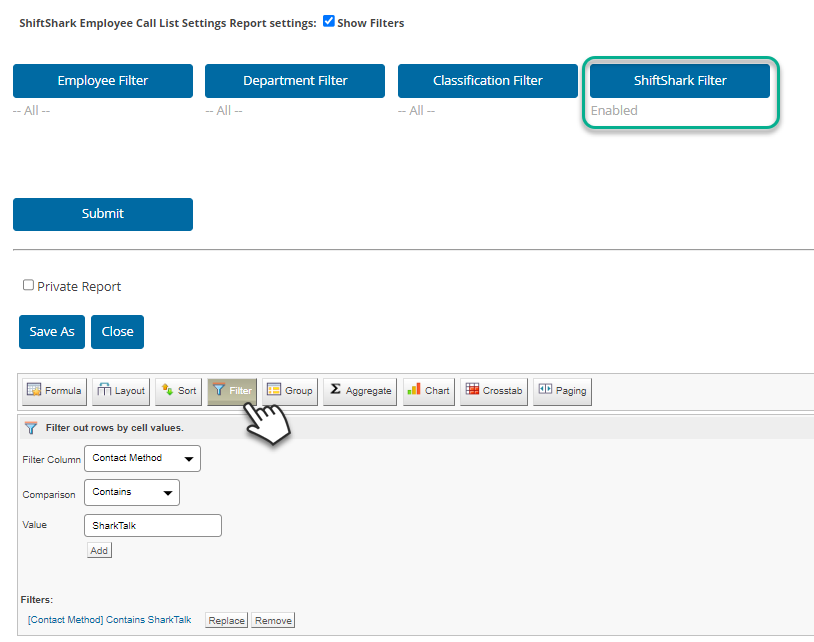
Click on the link to launch the report in a new tab. - You will initially see the pre-filter buttons. Click on the ShiftShark Filter button.
- Move the Enabled option tot he right and click Save.
- Click Submit.
The report table will load with all the employees you have who are enabled for ShiftShark. - Click the Filter button to add the following:
Filter Column: Contact Method
Comparison: Contains
Value: SharkTalk
Click Add.
The report table will reload to show only the employees who have SharkTalk as a contact method.